Skip to content

Magento Homepage 404 or Wrong Page? Here’s the Exact Debug Flow
Introduction
Homepage ( / ) issues in Magento are rarely random or “just a glitch.” When the root URL returns a 404 or loads the wrong page, it is almost always the result of a breakdown in how Magento resolves requests internally. The key to fixing this is not trial-and-error debugging, but understanding the exact resolution flow and validating each layer step by step.
Magento does not treat / like a normal URL. Instead, it follows a structured sequence involving URL rewrites, routing fallback, and CMS configuration. If any one of these layers is misconfigured or overridden, the homepage breaks.
Most issues fall into three categories:
- URL rewrite conflicts
- CMS configuration mismatches
- Interception by custom modules or infrastructure (like Varnish, CDN, or Nginx)
Understanding the resolution flow gives you a deterministic way to debug instead of guessing.
Flow: How Magento Resolves /
When a request hits / , Magento processes it in a specific order:
/
→ check URL rewrite (url_rewrite.request_path = ” or ‘/’)
→ if found → resolve target_path (url_rewrite.target_path)
→ else → no route → fallback (routes.xml → cms router)
→ cms/index/index (module-cms/etc/frontend/routes.xml)
→ read config (core_config_data.path = web/default/cms_home_page)
→ load cms_page(home) (cms_page.identifier = ‘home’, cms_page_store mapping)
→ render (layout XML: cms_index_index.xml + cms_page_view.xml)
Let’s break this down conceptually.
1. URL Rewrite Check (Top Priority)
Magento first checks the url_rewrite table for a match where request_path is either ‘ ‘ (empty) or ‘ / ‘.
If a match exists, Magento does not continue normal routing. Instead, it directly resolves the request using the target_path defined in the rewrite.
This means:
- Any rewrite entry for / overrides the homepage completely
- Even a small misconfiguration here can redirect / to the wrong page or cause a loop
If a rewrite exists, everything else in the flow becomes irrelevant.
2. Routing Fallback
If no rewrite is found, Magento moves to its routing system.
Since / doesn’t map to a standard controller path, Magento falls back to the CMS router defined in:
cms/index/index
This is the default route responsible for homepage rendering.
3. Homepage Configuration Lookup
Magento then reads the homepage setting from configuration:
core_config_data.path = web/default/cms_home_page
This value determines which CMS page identifier should be loaded.
For example:
- If value = home, Magento will attempt to load the CMS page with identifier home
4. CMS Page Resolution
Magento queries the cms_page table:
- Matches the identifier (e.g.,home )
- Checks if the page is active
- Validates store view mapping via cms_page_store
If the page:
- Does not exist
- Is inactive
- Is not assigned to the current store
→ Magento returns a 404
5. Rendering Layer
If everything is valid, Magento renders the page using:
- cms_index_index.xml
- cms_page_view.xml
This defines layout structure, blocks, and final output.
Debug Tricks: If Homepage Is Wrong or 404
Instead of randomly checking things, follow this exact sequence.
1. Check URL Rewrite (Top Priority)
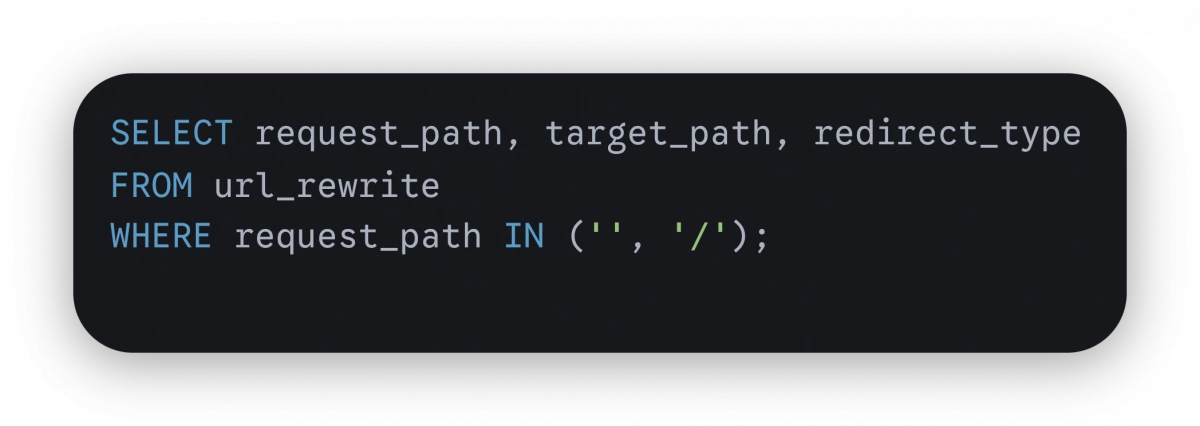
What to look for:
- If a record exists → it overrides homepage behavior
- target_path might point to an unintended route
- redirect_type may cause 301/302 redirects
Insight:
If / is behaving incorrectly, this is the first place to check. In many cases, developers unknowingly create a rewrite for / while trying to “fix” something else.
2. Validate Homepage Config
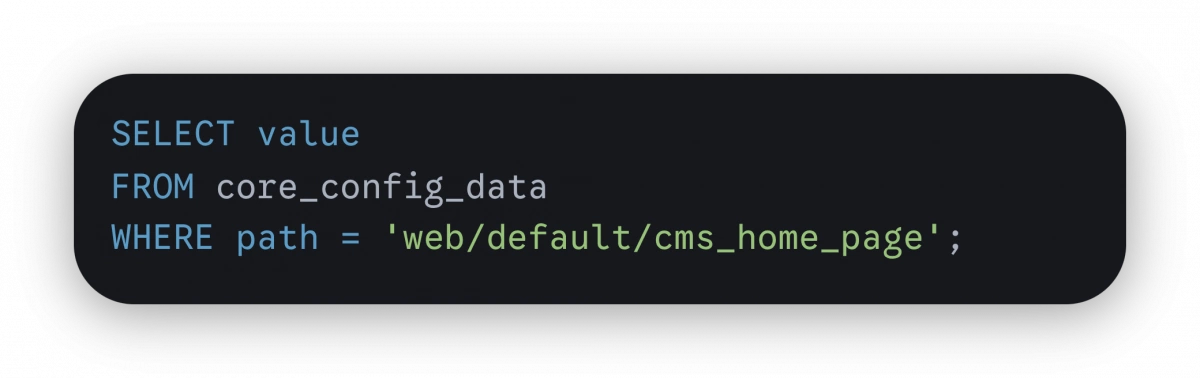
What to verify:
- The value matches an existing CMS page identifier
- No incorrect or outdated value is stored
If this value is wrong, Magento will attempt to load a non-existent page.
3. Verify CMS Page
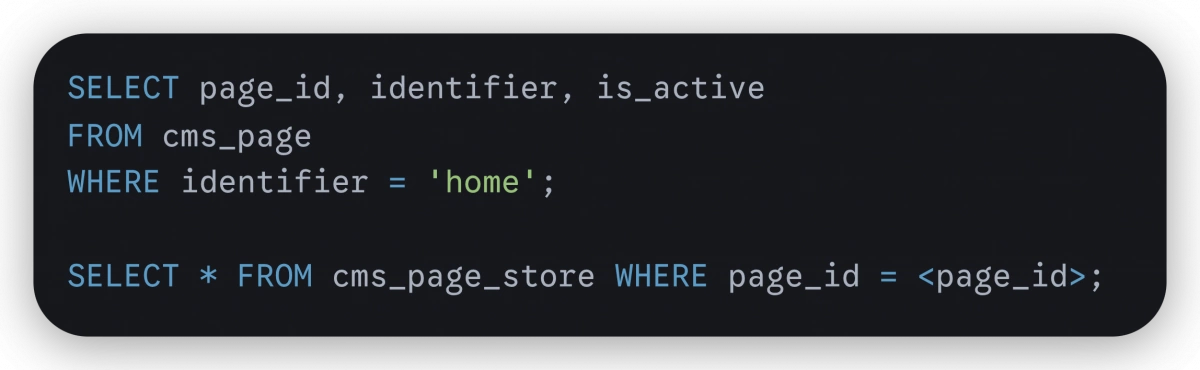
Checklist:
- is_active = 1
- Identifier matches config value
- Store mapping exists for the current store
Common issue:
The page exists but is not assigned to the store view → results in 404.
4. Check Actual Route Hit
To confirm what Magento is actually resolving:

Why this matters:
- Confirms whether request reaches cms_index_index
- Helps detect if another module is intercepting the request
If the route is not cms_index_index, something is overriding the flow.
5. Inspect Redirects
Run:
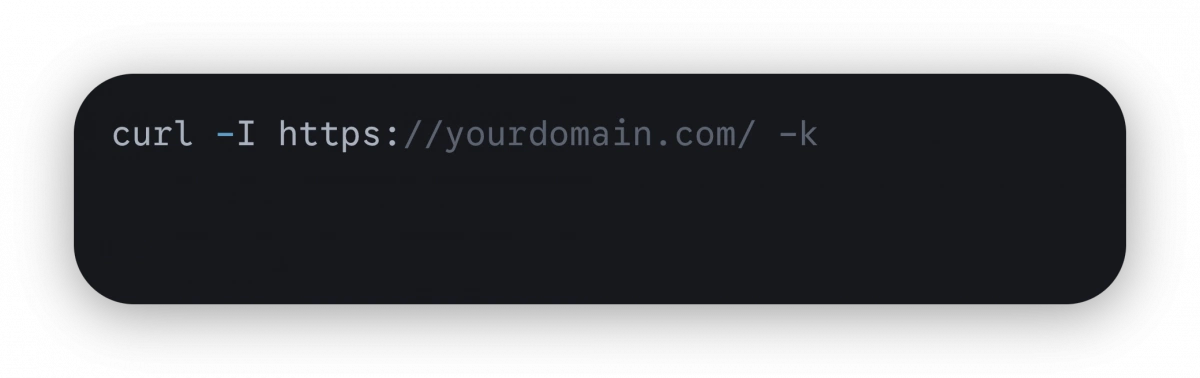
Check for:
- Location: header
- HTTP status (301, 302, etc.)
What it tells you:
- If the homepage is being redirected before Magento fully handles it
- Whether redirects come from Magento, Varnish, or server-level configs
6. Check Module Interception
Search for overrides:
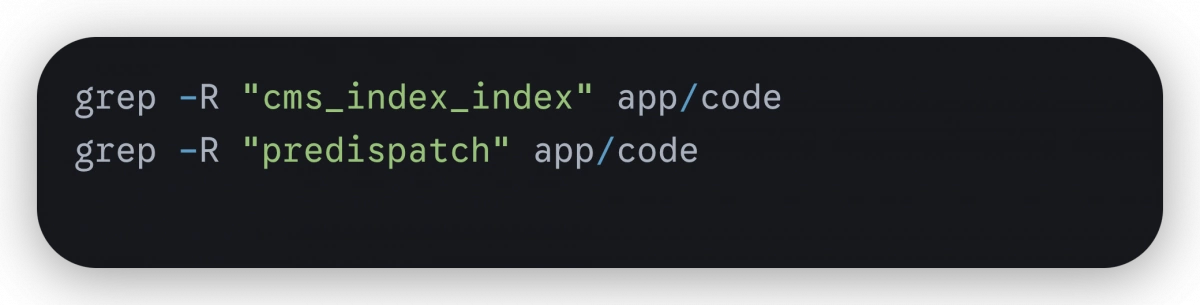
Why this matters:
- Custom modules may intercept requests using observers or plugins
- predispatch“ events can reroute requests before Magento resolves them
This is a common cause when everything else looks correct but behavior is still wrong.
Quick Diagnosis Guide
Use these patterns to quickly narrow down the issue:
- /home works but / fails
→ Routing or redirect issue - Wrong page loads
→ URL rewrite conflict - 404 on homepage
→ CMS page inactive or config mismatch - 302 redirect
→ Module, Varnish, or domain configuration issue - / not hitting Magento at all
→ Nginx, CDN, or infrastructure issue
Important Insight
Magento does not require a rewrite for / .
If you find yourself adding a rewrite entry for the homepage, you’re not solving the root cause you’re masking it. The correct approach is to identify which layer in the resolution flow is breaking and fix it there.
Conclusion
Homepage issues in Magento are deterministic. The system follows a clearly defined resolution path, and every failure point is traceable if you follow the correct order:
URL rewrite
- Routing fallback
- Configuration
- CMS page validation
- Rendering
By validating each layer step by step, you eliminate guesswork and avoid unnecessary fixes. Most importantly, you prevent introducing additional complexity like unnecessary rewrites that can create deeper issues later.
This structured debugging approach ensures that homepage issues are resolved correctly, efficiently, and permanently.