Skip to content

Observer Pattern in Magento 2: Reduce 80% Upgrade Issues
Introduction: The Tight Coupling Problem
Magento upgrades often break due to tightly coupled customizations, especially direct overrides of core or third-party code. These changes create hidden dependencies that fail when the system is updated.
The Observer Pattern avoids this by letting you react to events without modifying existing logic, making your code more stable and upgrade-friendly.
The Observer Pattern in Magento 2 is useful when your logic needs to respond to an event without modifying the original execution flow. It supports a decoupled, event-driven approach where multiple parts of the system can react independently.
Use it when:
- You want to extend functionality without overriding core or third-party code
- Multiple modules need to respond to the same event independently
- Your logic is event-driven (e.g., logging, notifications, data sync)
- You want to reduce upgrade conflicts (while understanding it still depends on stable events)
Example: Reacting to Order Placement
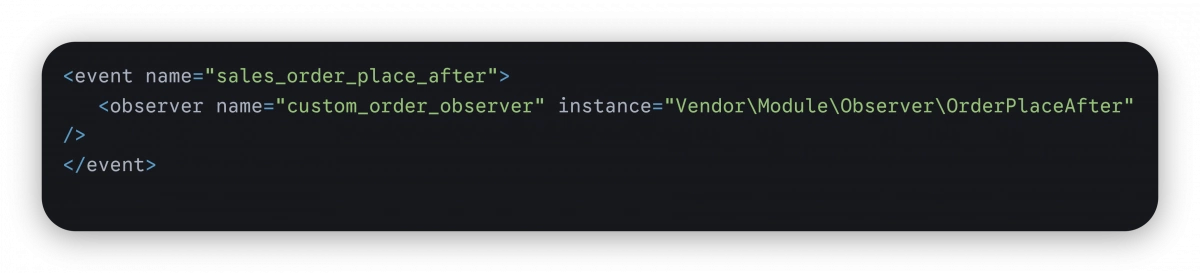
Instead of overriding order logic, you can listen to an event like sales_order_place_after:
events.xml
Observer Class
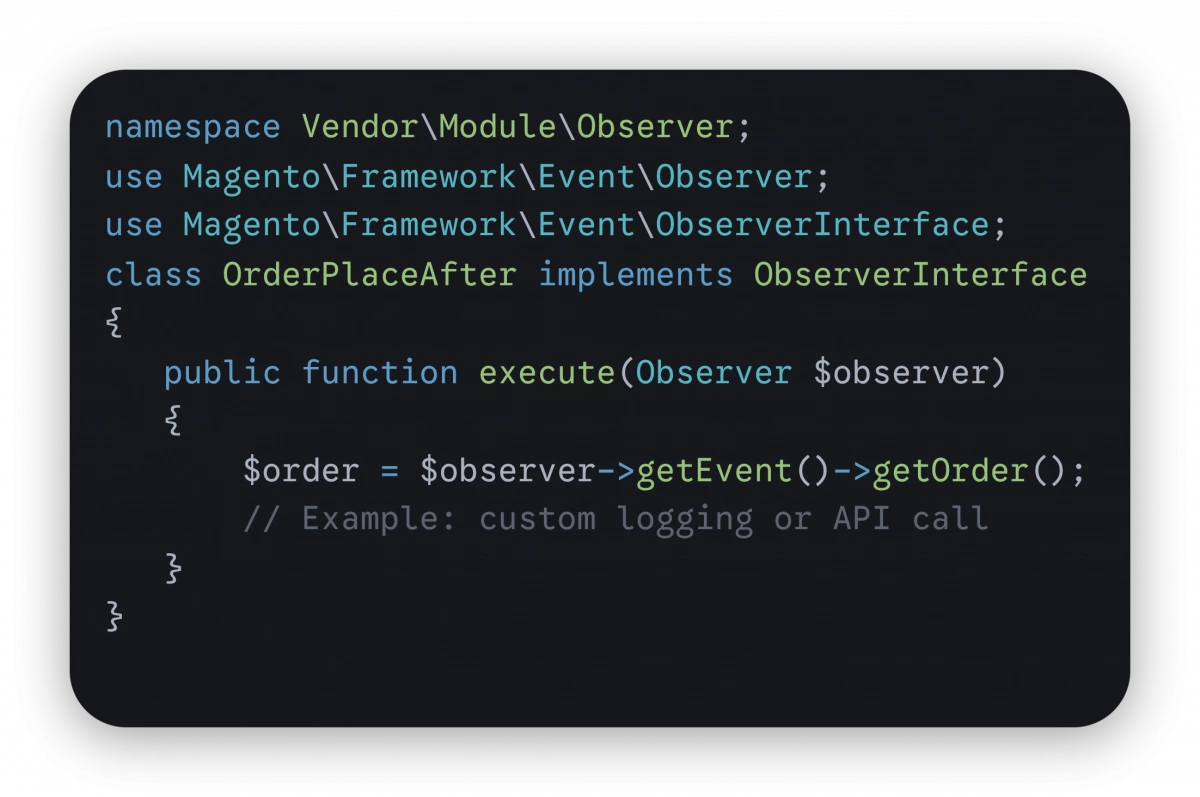
This approach keeps your logic separate and avoids modifying core checkout or order processing code.
Avoid it when you need to control or modify the main execution flow plugins are more suitable in those cases.
Example (Right Use Case)
Scenario: A customer registers in your store, and you want to notify your sales team with an additional email.
A common mistake would be to override the registration logic or use a plugin to inject this behavior. Both approaches introduce unnecessary complexity and increase the risk of conflicts.
Instead, Magento provides an event called customer_register_success.
By creating an observer for this event, you can attach your custom logic without touching the original registration process.
How it works conceptually:
- Magento completes the customer registration process.
- The customer_register_success event is dispatched.
- Your observer listens to this event.
- The observer triggers an email to the sales team.
Result:
- No core or third-party code modifications
- Minimal risk of upgrade conflicts
- Clean separation of responsibilities
- Easier debugging and maintenance
This is a textbook example of where the Observer Pattern shines reacting to an event without interfering with the main workflow.
Why Observers Help Reduce Upgrade Issues
The main strength of observers is decoupling.
Instead of embedding your logic into Magento’s execution flow, you attach it externally through events. This helps ensure that:
- Changes in core logic are less likely to directly impact your customization
- Multiple features can coexist without overriding each other
- Your code stays modular and easier to maintain
During upgrades, Magento may change internal implementations, but if the event is still dispatched with a compatible structure, your observer will continue to work.
This reduces the risk of cascading failures that are common with class overrides, though it still depends on the stability of the event itself.
When Not to Use Observers
Observers are powerful, but they are not suitable for every use case. Misusing them can lead to unpredictable behavior and harder debugging.
Observers should not be used when your requirement involves controlling or altering the main execution flow.
Avoid observers when:
- You need to change method input or output
Observers do not intercept methods directly. While you may access and modify some data via event objects, it is not reliable for controlling inputs or return values. - Execution order is critical
Multiple observers can listen to the same event, but their execution order is not guaranteed across modules. If your logic depends on strict sequencing, observers are not the right choice. - The logic must validate or block the main process
Observers are designed for reaction. They are not meant to enforce validation or stop execution in a predictable way.
Example (Wrong Use Case)
Scenario: You want to modify the final order total before it is saved.
Using an observer for this might seem convenient, but it introduces risk. Event timing is not always precise, and modifying critical values like totals can result in:
- Inconsistent calculations
- Conflicts with other modules
- Difficult-to-trace bugs
Incorrect approach (Observer):
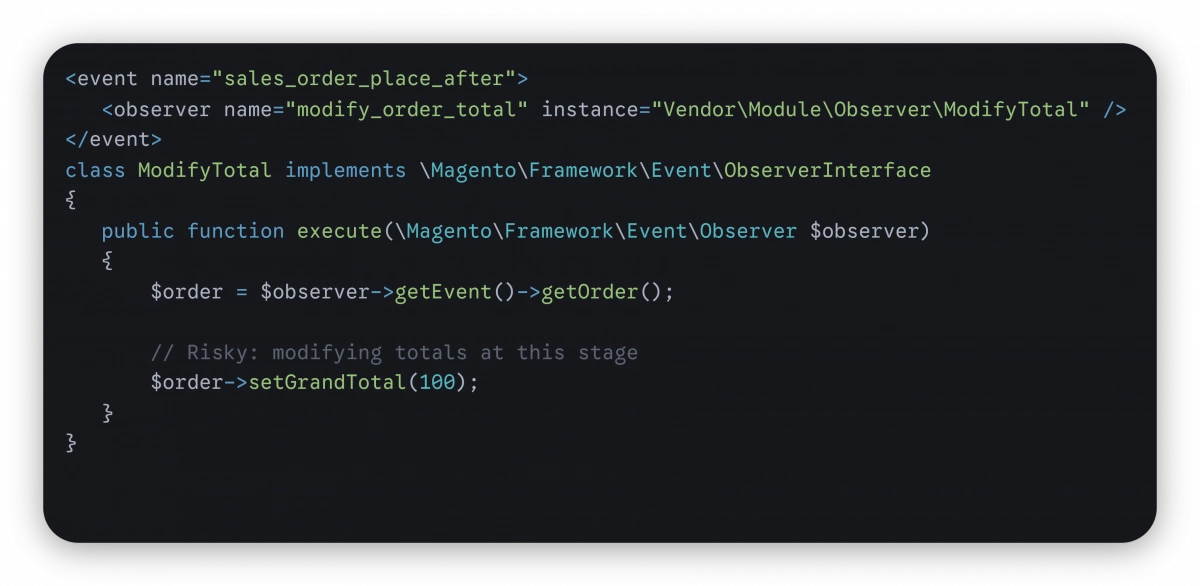
This is unreliable because the order totals are already calculated and may be used elsewhere.
Correct Approach (Plugin)
A plugin allows you to intercept the method at the right point and safely control the logic.
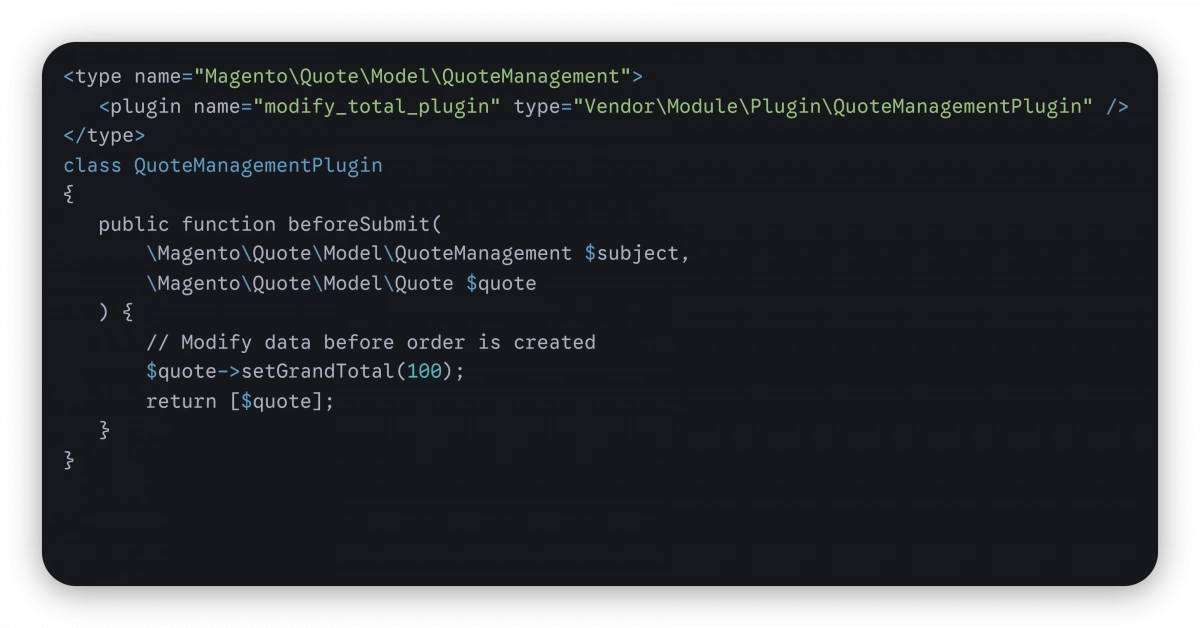
This approach gives you proper control over execution and ensures consistency.
Observer vs Control-Based Customization
A simple way to decide:
- Reacting to something that already happened → Use an observer
- Controlling or changing what happens → Use a plugin (or another approach)
Observers are best suited for reaction, not control.
Call to Action
Review your current Magento customizations.
If you are using overrides or plugins for purely reactive logic, consider refactoring to observers. This can:
- Reduce upgrade conflicts
- Improve maintainability
- Support a more modular architecture
At the same time, avoid forcing observers into control-heavy logic. Choosing the right pattern is what keeps a Magento codebase stable through upgrades not just functional today, but sustainable long term.